> For the complete documentation index, see [llms.txt](https://dentaltap.gitbook.io/dentaltap/llms.txt). Markdown versions of documentation pages are available by appending `.md` to page URLs; this page is available as [Markdown](https://dentaltap.gitbook.io/dentaltap/follow-ups/follow-up-visits-recalls.md).
# Follow-Up Visits / Recalls
This type of follow-up helps clinics reach out to patients who visited a certain time ago but may need additional care or a check-up.
**Configuration**
1. Visits Flow Stages:\
[Settings -> Glossary/Clinic Flow](https://app.dentaltap.com/en/p/settings/templates/dictionary?id=flow)
### Purpose
* Remind patients of routine check-ups
* Encourage follow-up visits for ongoing treatment
* Improve patient retention and continuity of care
* Streamline communications between Doctors and Front Desk
### Schedule a Follow-up visit via Tasks/Queue
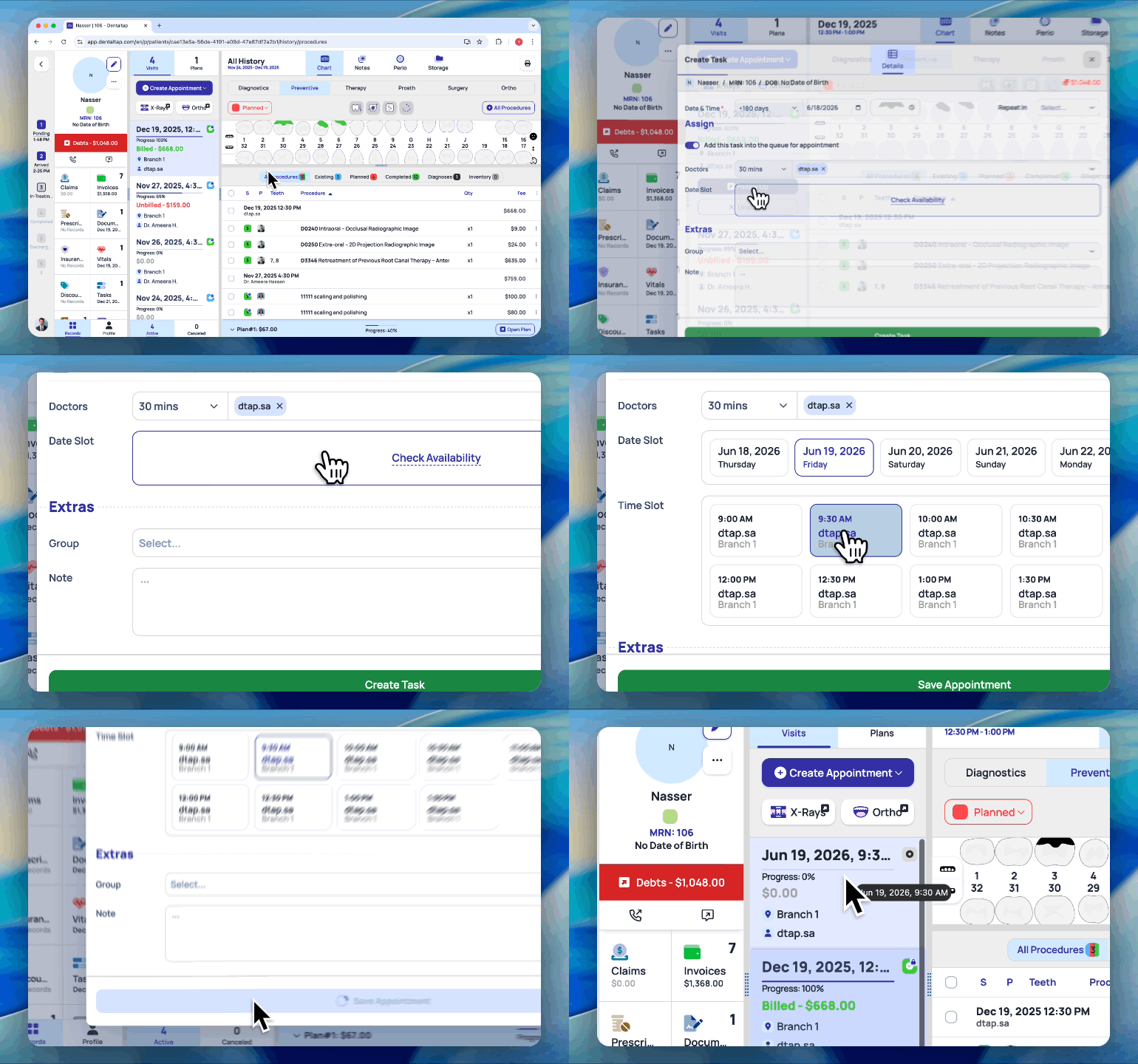
If a patient continues treatment, the doctor can schedule the next appointment directly from their account. Alternatively, a follow-up task can be created for the front desk, allowing administrative staff to handle the scheduling.
Follow-up visit can be created for each appointment:
* **Select Appointment**
* Click **Follow-Up**
* Enter the appointment date and time, and other optional, like group, note
* Also, you can schedule an appointment instantly by checking the doctor’s availability and confirming a time slot for the required duration.
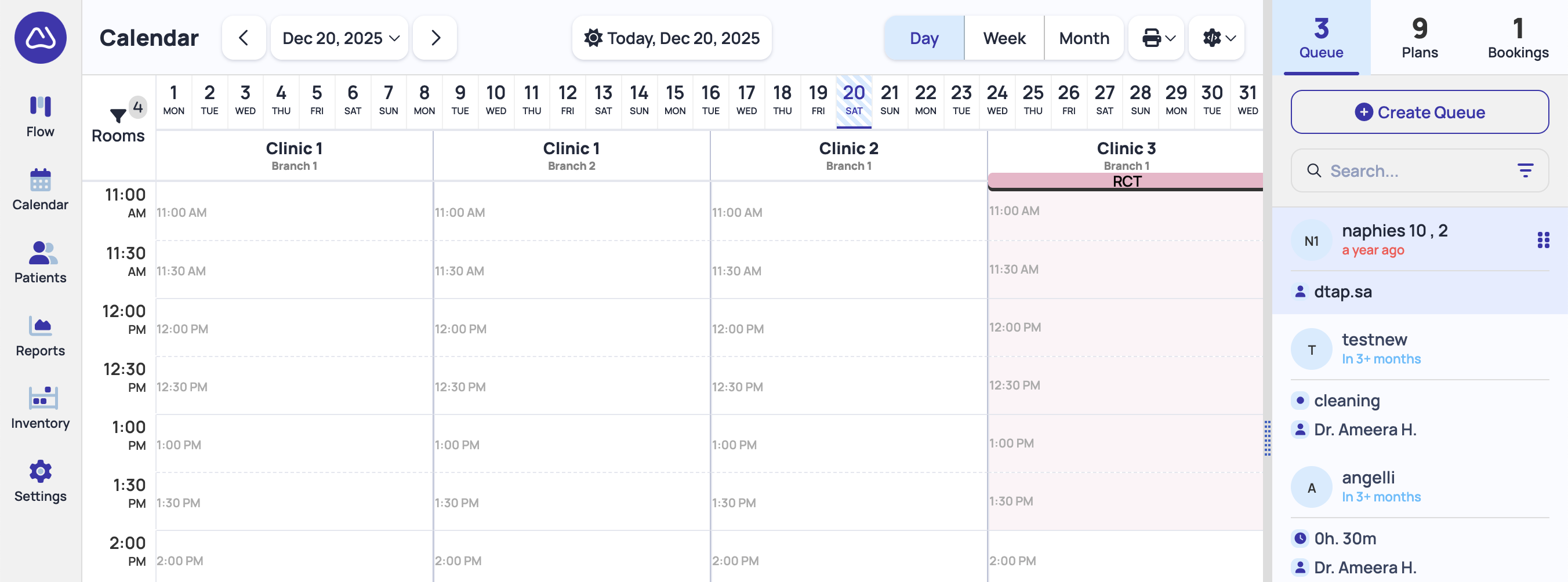
**Follow-Up Queue**
All unscheduled follow-ups are added into the **Queue** - a sidebar in the calendar page. From this sidebar, you can drag-and-drop directly into calendar, or click on the item to find a suitable time.
### Patients Who Visited X Months Ago
#### Recalls Flow
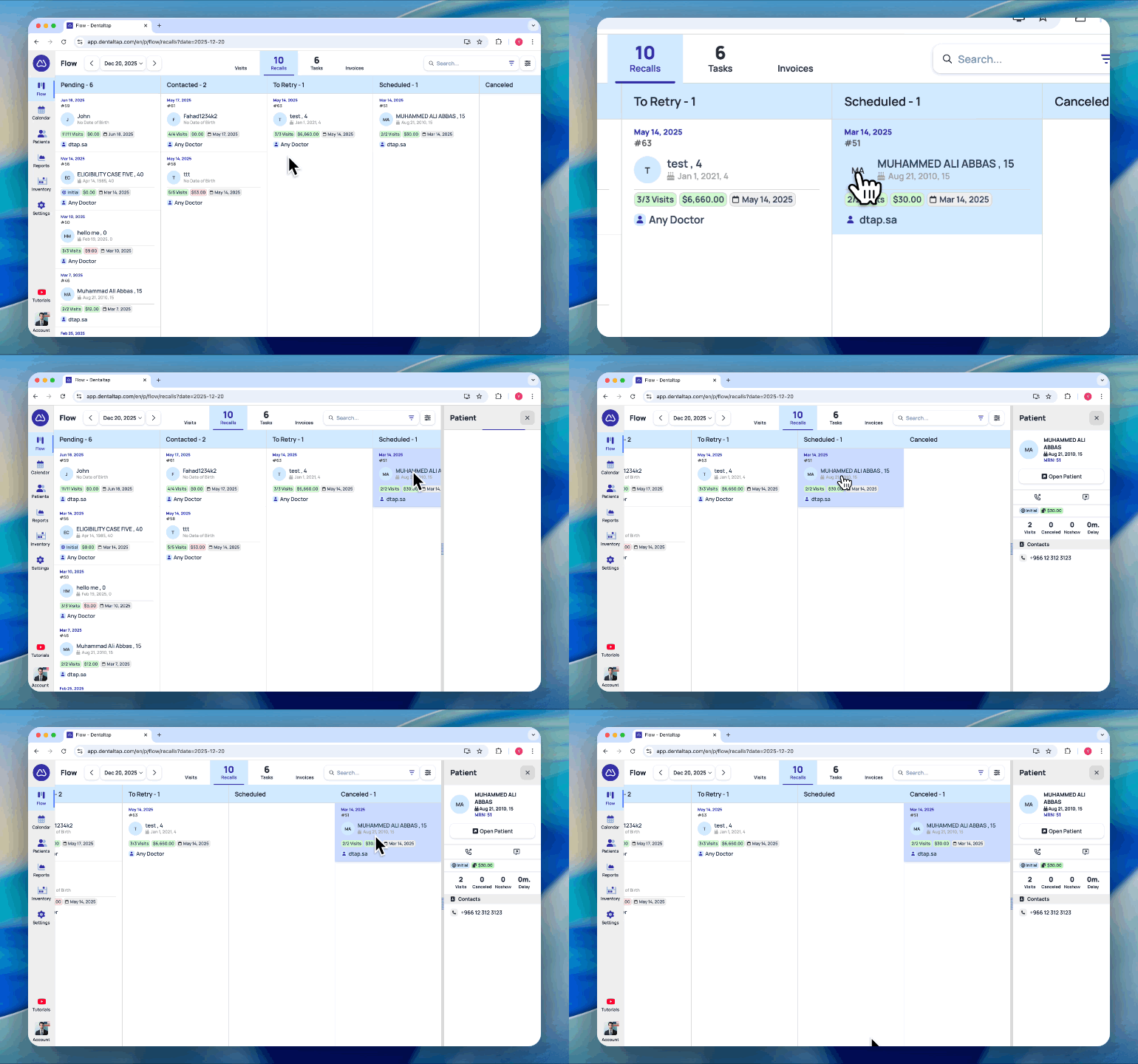
You can manage follow-ups using a Kanban-style board, which provides a visual overview of patient follow-up progress.
Open [Flow -> Recalls](https://app.dentaltap.com/en/p/flow/recalls) to access the board.
Patients are added to **Recalls** automatically based on their last appointment. You can use drag-and-drop to move patient records through the different phases on the Kanban board.
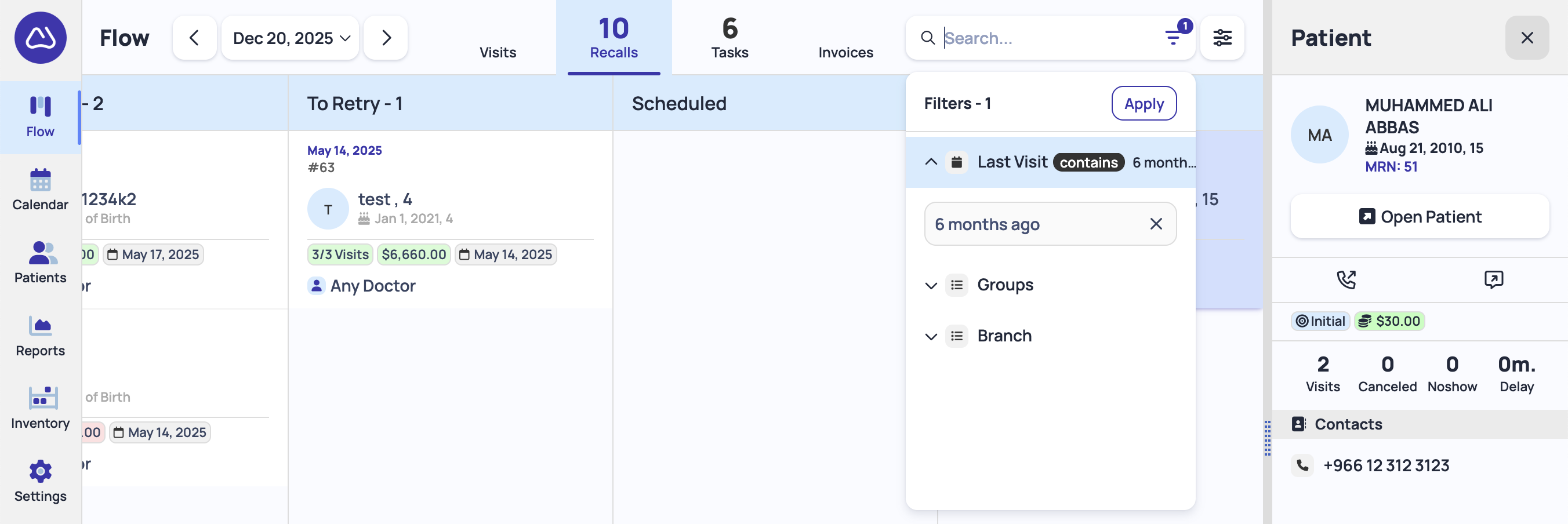
You can apply additional filters in the Kanban board, for example, filter all patients with last visit - 3, 6, or 12 months ago, or search by patient name/group/branch.
#### Unscheduled Patients Report
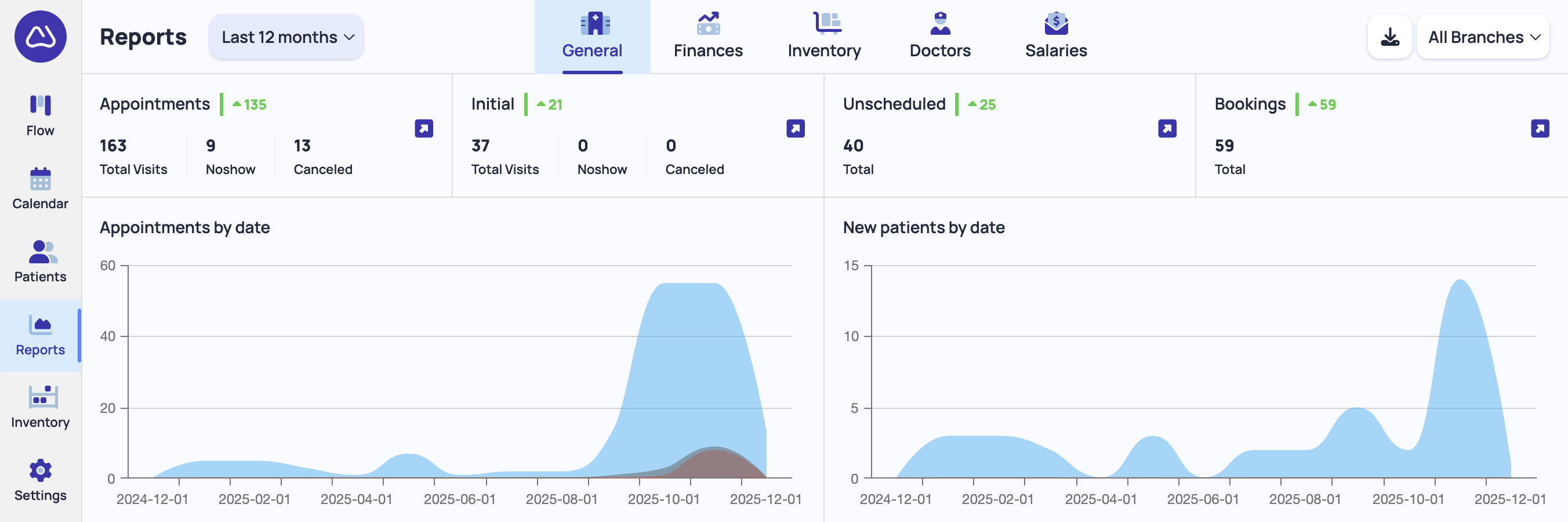
A report is available that can be downloaded as a table (CSV) containing all patients who visited during a specific period but have not yet scheduled a follow-up appointment.
To access the report:
1. Open [Reports -> General](https://app.dentaltap.com/en/p/analytics/appointments)
2. Click the **Unscheduled** section in the top row
For example, the report can show patients who visited in the last 12 months but do not have a scheduled next appointment, as illustrated in the screenshot below:
This visual workflow helps clinics identify patients who are due for follow-up, prioritize outreach, and ensure continuity of care.