> For the complete documentation index, see [llms.txt](https://dentaltap.gitbook.io/dentaltap/llms.txt). Markdown versions of documentation pages are available by appending `.md` to page URLs; this page is available as [Markdown](https://dentaltap.gitbook.io/dentaltap/treatments/periodontal-chart.md).
# Periodontal Chart
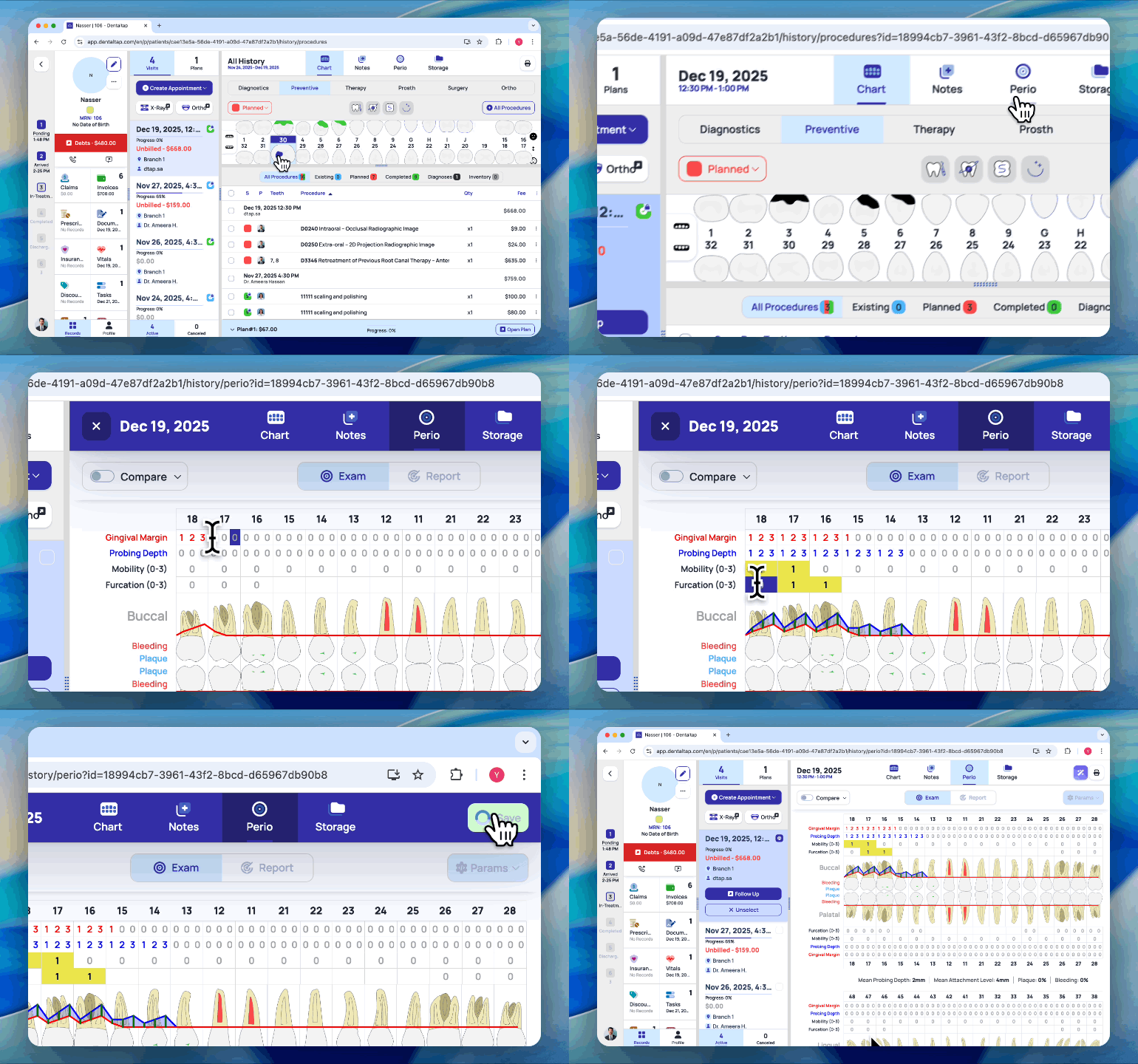
The Periodontal Chart is used to record detailed periodontal findings that cannot be represented on the standard dental chart.
It includes a complete set of periodontal metrics, such as:
* Pocket depths
* Gingival recession
* Clinical attachment levels
* Bleeding on probing
* Plaque and calculus indicators
* Furcation involvement
* Tooth mobility
Periodontal data can be recorded per tooth, providing a precise and structured overview of the patient’s periodontal status.
To start with Periodontal Chart, simply select an appointment date and proceed with entering data:
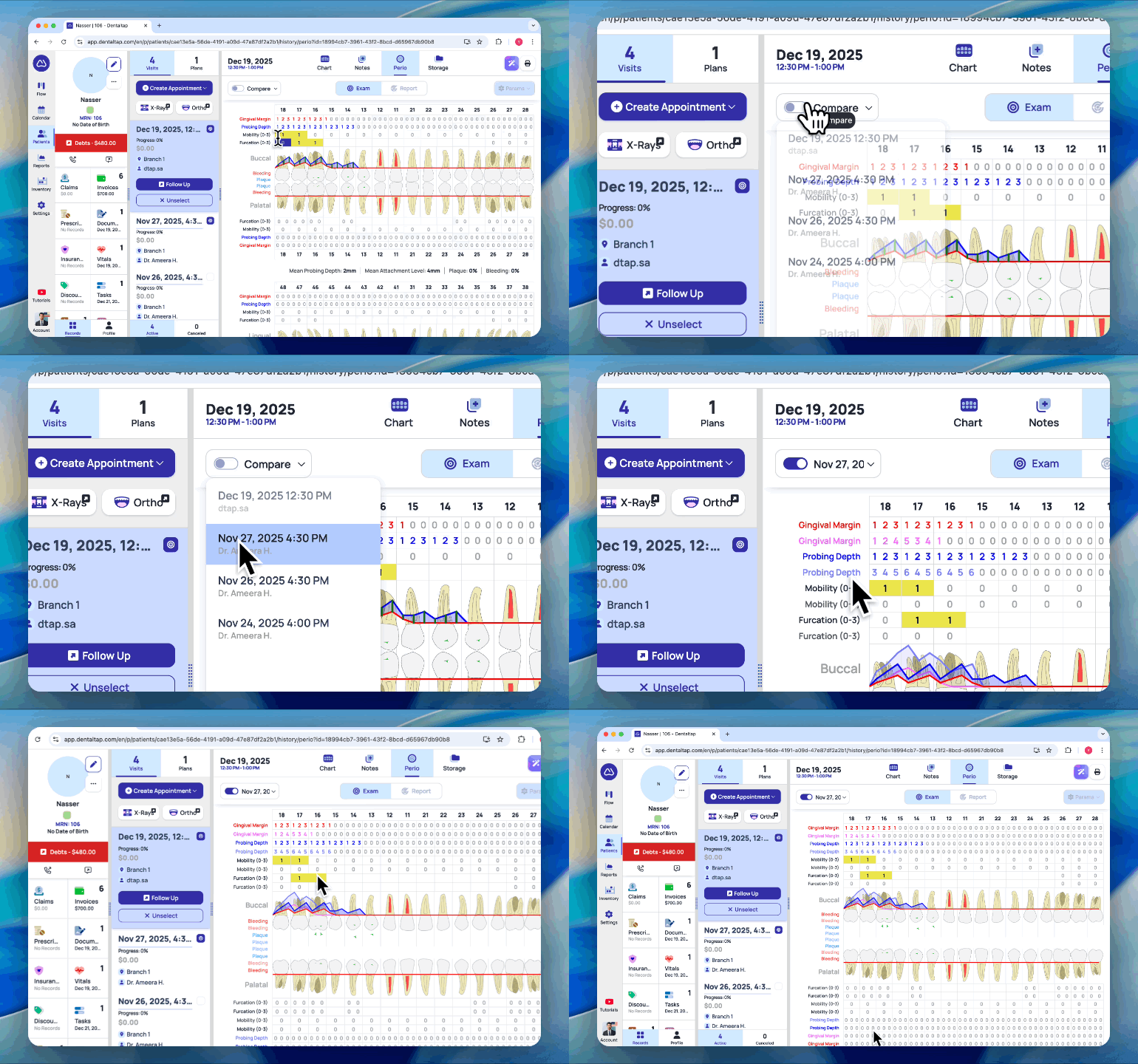
### Compare Periodontal Charts
You can compare multiple periodontal charts by selecting different appointment dates. This allows you to view periodontal metrics across multiple visits and track changes and progress over time.
The Periodontal Chart module provides a structured way to record, track, and compare periodontal metrics over time, helping clinicians monitor changes and assess treatment progress across visits.