> For the complete documentation index, see [llms.txt](https://dentaltap.gitbook.io/dentaltap/llms.txt). Markdown versions of documentation pages are available by appending `.md` to page URLs; this page is available as [Markdown](https://dentaltap.gitbook.io/dentaltap/storage/ortho-composite-view.md).
# Ortho Composite View
The Orthodontic Composite View is designed to track progress throughout orthodontic treatment. It allows clinicians to review and compare images using different facial projections, such as profile, frontal, angle, and bite views.
The view includes built-in measurement and adjustment tools, enabling users to pan, align, and position images for accurate comparison over time. This provides a clear visual record of treatment progress and supports clinical evaluation and communication with patients.
### Open Orth Composite View
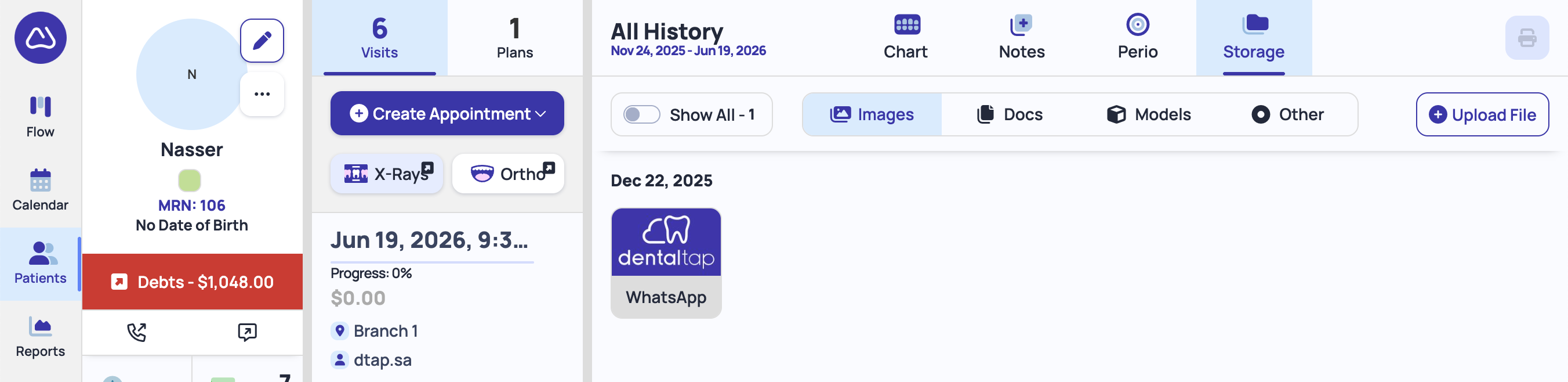
To open Ortho Composite View, click on the **Ortho** button under the visits tab (middle column):
### Submit Images
You can drag-and-drop Ortho images from your computer into dedicated section of the Ortho Composite View:
1. Select **Appointment** date from the left column - Ortho images are always attached with the patient appointment
2. Click on the empty ortho section, or drag-and-drop files from your computer into that section:
After you uploaded files, you can do any adjustments like rotating, zooming and use guidelines to align your images perfectly.